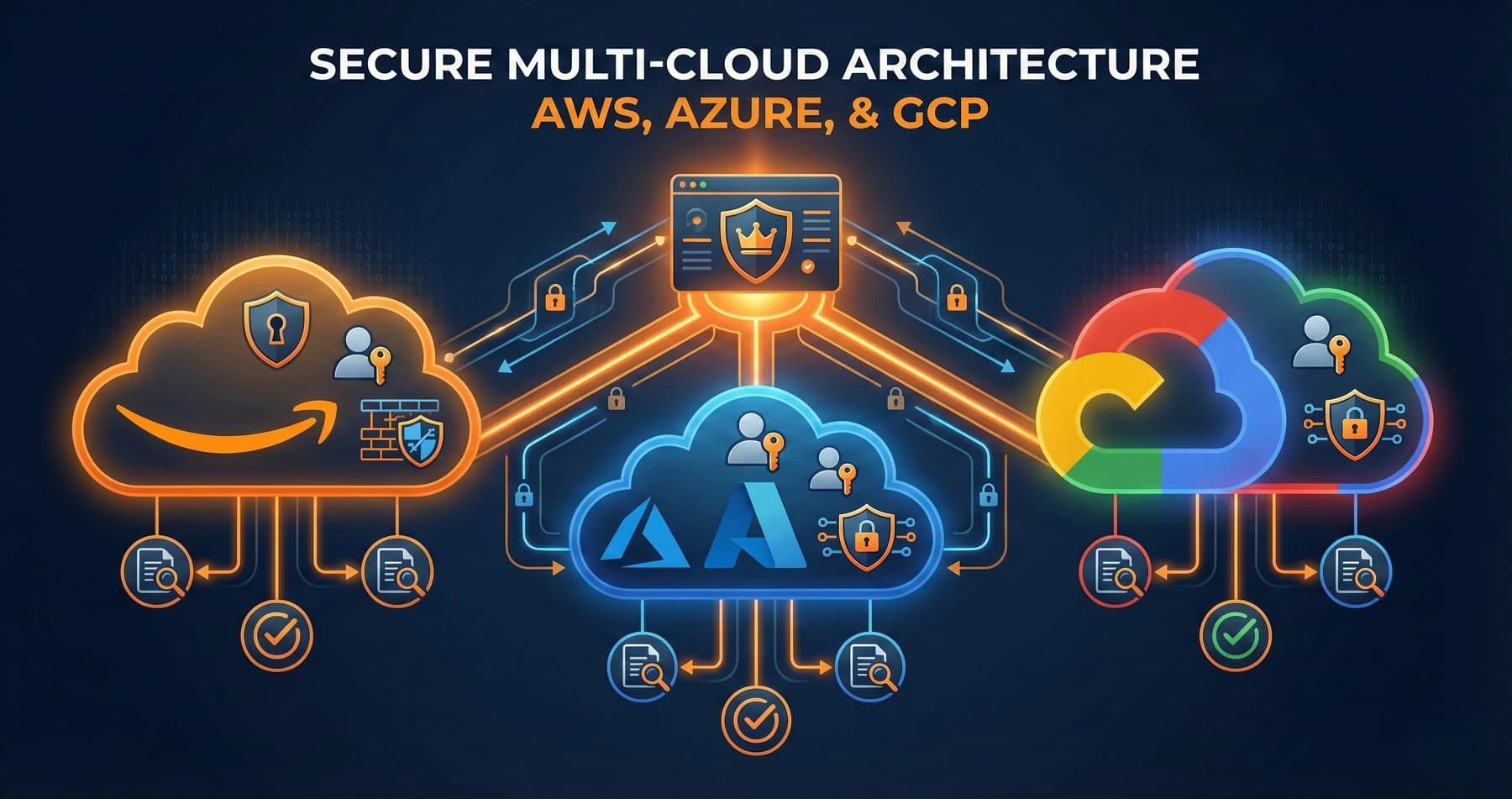
Organizations rarely choose just one cloud provider. Even those with a primary provider often have workloads across multiple clouds due to acquisitions, specific capabilities, or strategic flexibility.
This multi-cloud reality creates complexity for security teams. Each provider has different security models, different native tools, and different ways of thinking about cloud security. Understanding these differences is essential for building effective cloud security architecture.
Shared Responsibility Models Compared
All three major cloud providers use shared responsibility models, but the specifics differ.
The Basic Concept
Every cloud provider draws a line between what they secure and what you secure. Below the line, the provider handles security. Above it, you're responsible. The line moves depending on what service you're using.
For infrastructure services like virtual machines, you handle everything from the operating system up. For fully managed services, the provider handles more, and your responsibility shrinks to data and access.
Where They Differ
AWS tends toward explicit documentation of exactly who is responsible for what. Azure often frames responsibilities around functional areas rather than technical layers. GCP emphasizes "shared fate" recently, suggesting they have skin in the game for your security outcomes.
In practice, these philosophical differences matter less than understanding what you need to do for each service you use. Don't assume that security coverage is identical across providers for similar services.
Identity and Access Management
IAM is perhaps where the providers differ most significantly.
AWS IAM
AWS IAM is powerful and complex. Policies are JSON documents attached to users, groups, roles, and resources. The policy evaluation logic considers identity policies, resource policies, permission boundaries, session policies, and service control policies.
This flexibility enables fine-grained control but creates a steep learning curve. Misconfigured IAM policies are among the most common AWS security findings.
AWS recently introduced IAM Identity Center (formerly SSO) for federated access management, which simplifies user management considerably for organizations with existing identity providers.
Azure Identity
Azure builds on Active Directory concepts familiar to enterprise IT. Entra ID (formerly Azure AD) handles identity for Azure and Microsoft 365. Role-based access control uses built-in roles or custom role definitions.
The integration with on-premises Active Directory through hybrid identity is both a strength and a complexity factor. Organizations with existing AD investments find Azure identity more intuitive, but the hybrid configurations can create unexpected security implications.
Conditional Access policies in Azure enable sophisticated access decisions based on user, device, location, and risk level. This capability is more mature than equivalent offerings from AWS or GCP.
GCP IAM
GCP IAM uses a resource hierarchy: organization, folders, and projects. Permissions are granted through roles attached at various levels of this hierarchy, with inheritance flowing downward.
Service accounts in GCP are pervasive and require careful management. Default service accounts often have excessive permissions, and organizations frequently struggle with service account key management.
GCP recently improved its identity federation capabilities, but it still trails Azure for complex enterprise identity scenarios.
The biggest mistake we see across all three providers is granting overly broad permissions for convenience, then never revisiting them. Least privilege requires ongoing attention, not just initial configuration.
Network Security
Network security capabilities differ substantially across providers.
AWS Networking
AWS provides security groups (stateful firewalls at the instance level) and network ACLs (stateless filtering at the subnet level). VPC flow logs capture network traffic metadata for analysis.
AWS Network Firewall offers managed firewall capabilities with inspection and filtering. AWS WAF protects web applications with rule-based filtering.
PrivateLink enables private connectivity to AWS services and partner offerings without traversing the public internet.
Azure Networking
Azure uses Network Security Groups similar to AWS security groups. Azure Firewall provides managed network security with threat intelligence integration.
Azure's network architecture includes concepts like virtual network peering, service endpoints, and private endpoints that control how traffic flows between resources and services.
Azure Front Door and Application Gateway provide WAF capabilities with DDoS protection.
GCP Networking
GCP uses VPC firewall rules rather than instance-attached security groups. The firewall rules are global within a VPC, which is architecturally different from AWS and Azure's more localized approach.
Cloud Armor provides WAF and DDoS protection for internet-facing workloads. VPC Service Controls create security perimeters around GCP services to prevent data exfiltration.
GCP's networking model is arguably simpler but less flexible for complex enterprise architectures.
Logging, Monitoring, and Detection
Security operations depends on visibility into cloud activity.
AWS Security Monitoring
CloudTrail captures API activity across AWS services. GuardDuty provides threat detection using machine learning and threat intelligence. Security Hub aggregates findings from various AWS security services.
CloudWatch handles metrics and logs, though organizations often export to external SIEM platforms for correlation with non-AWS data.
AWS Detective helps investigate security findings by analyzing and visualizing related activity.
Azure Security Monitoring
Azure Monitor centralizes logging and metrics. Microsoft Defender for Cloud provides posture management and threat protection across Azure and hybrid environments.
Sentinel is Microsoft's cloud-native SIEM, offering integration across Microsoft's ecosystem and connections to third-party sources.
Microsoft Defender XDR provides extended detection and response across endpoints, identities, email, and cloud apps.
GCP Security Monitoring
Cloud Logging centralizes log data. Security Command Center provides posture management and threat detection for GCP resources.
Chronicle, acquired by Google, offers security analytics and threat detection at scale, though it operates somewhat separately from native GCP security tools.
Event Threat Detection analyzes logs for indicators of compromise.
Compliance and Governance
Enterprise organizations need governance capabilities to enforce standards at scale.
AWS Governance
AWS Organizations enables multi-account management with service control policies limiting what accounts can do. Config tracks resource configurations and evaluates compliance with desired state.
Control Tower provides a pre-configured multi-account environment with guardrails for common compliance requirements.
AWS Artifact provides access to compliance reports and certifications.
Azure Governance
Azure Policy enforces organizational standards across subscriptions. Management Groups enable hierarchical governance across subscriptions.
Azure Blueprints package together policies, role assignments, and templates for repeatable environment deployment.
Compliance Manager helps assess compliance posture against various regulatory frameworks.
GCP Governance
Organization policies constrain resource configuration across the resource hierarchy. Security Health Analytics identifies misconfigurations and deviations from best practices.
Assured Workloads provisions compliant environments for regulated industries.
Access Transparency logs show Google employee access to your data for support purposes.
Governance tools only work if someone reviews and acts on their findings. We regularly see organizations with governance tooling deployed but nobody monitoring the alerts or violations. Tools without processes are expensive decorations.
Multi-Cloud Security Considerations
Organizations with workloads across multiple clouds face additional challenges.
Inconsistent Controls
Each provider implements security controls differently. What works in AWS may not have a direct equivalent in Azure or GCP. Security teams need expertise across all platforms in use.
Identity Fragmentation
Users may need identities in multiple cloud providers. Federation helps but adds complexity. Service-to-service authentication across clouds requires careful design.
Visibility Gaps
Security monitoring tools are often provider-specific. Achieving consistent visibility across clouds requires either multi-cloud tooling or significant integration work.
Compliance Complexity
Demonstrating compliance across multiple providers means understanding how each maps to compliance requirements. A single framework like PCI-DSS must be addressed differently in each cloud.
Recommendations for Multi-Cloud
Start by establishing consistent security baselines that can be implemented across providers, even if the specific controls differ. Use cloud-agnostic tooling where possible for security monitoring and compliance. Invest in training so your team understands all platforms in use.
Choosing Security Architectures
Several factors should influence your cloud security architecture choices.
Follow Your Identity Provider
If you have significant Microsoft investment and Entra ID, Azure integration will be smoother. If you're building cloud-native without enterprise identity legacy, any provider works, but consider long-term identity strategy.
Consider Your Team
AWS has the most mature ecosystem but requires significant expertise. Azure is more approachable for traditional enterprise IT. GCP appeals to organizations with strong engineering culture.
Evaluate Native vs. Third-Party
Each provider offers native security tools. Third-party tools provide consistency across clouds but add cost and complexity. The right balance depends on your multi-cloud strategy and team capabilities.
Plan for Growth
Your security architecture should accommodate growth in cloud usage. Governance structures and monitoring capabilities need to scale as you add workloads and accounts.
Getting Started
For organizations building or improving cloud security architecture:
Begin with identity. How users and services authenticate and what permissions they receive is foundational. Get identity right before focusing on other controls.
Establish logging early. Turning on logging after an incident means you've lost the evidence you need.
Start governance before complexity builds. It's much easier to enforce standards from the beginning than to remediate existing resources later.
Build for your actual multi-cloud reality, not theoretical purity. If you're primarily AWS with some Azure, optimize for AWS and handle Azure pragmatically.
Cloud security architecture isn't a one-time project. Plan for ongoing assessment and improvement as both your environment and the provider capabilities evolve.
Related Service
Learn more about how we can help with Security Architecture & Advisory.
Explore Security Architecture & Advisory Services →